Free vs Paid PDF to Word Conversion Quality
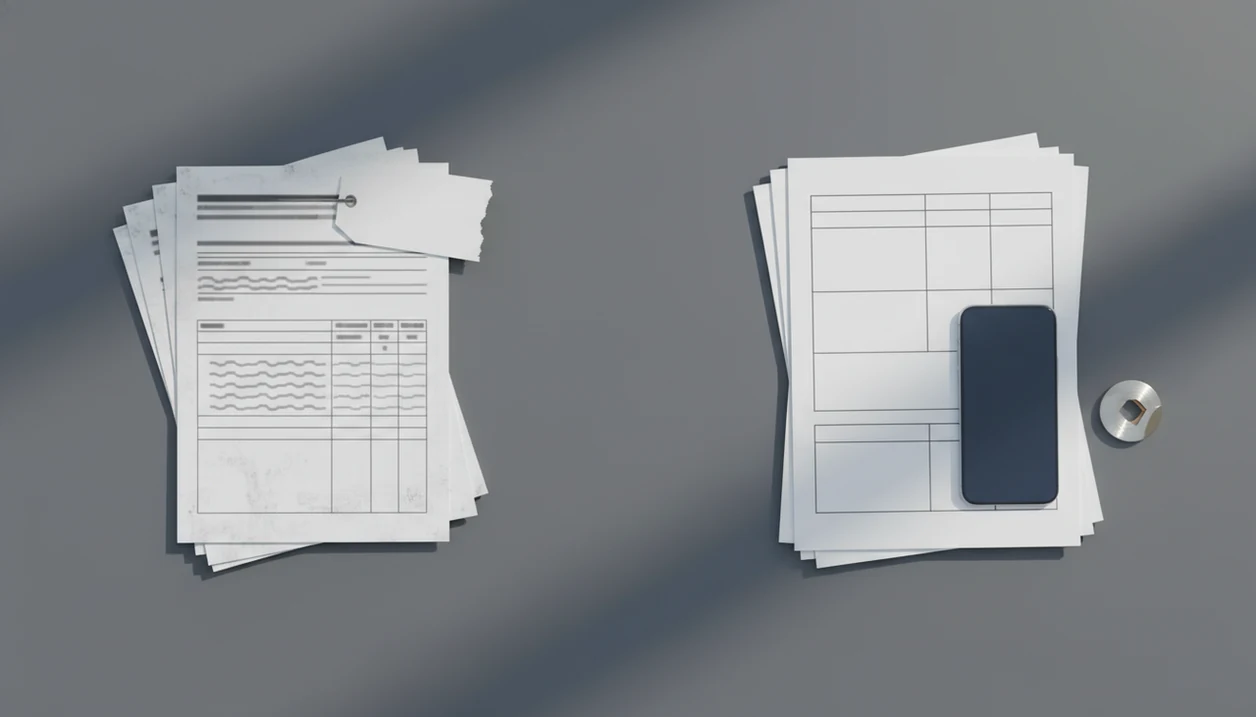
Paid tools usually produce better results than free tools when a PDF has scanned pages, tables, columns, forms, or large file sizes; free vs paid PDF to Word quality mainly comes down to OCR, layout recovery, limits, privacy, and cleanup time. Free converters are often enough for simple text PDFs, while a paid converter is usually the better choice for frequent mobile work on iPhone or Android.
PDF To Word App is a PDF to Word app that converts PDF files into editable DOCX documents for people using iPhone and Android.
- Choose a free PDF converter for short, simple, native PDFs that contain mostly text and do not need OCR.
- Choose a paid converter for scanned PDFs, tables, columns, batch conversion, larger files, and fewer formatting repairs.
- The biggest hidden cost of free tools is manual cleanup time, especially on mobile devices where editing broken DOCX layouts is slower.
How free vs paid pdfs look
Side-by-side captures of the compared products. Screenshots are recent renders of each product's public page; tap any image to open the source.
Free vs paid PDF to Word quality at a glance
Free PDF converters are best for simple native PDFs, while paid converters are better for complex files and repeated mobile conversions. The real difference is not only price; it is how much structure the converter can recover before you start fixing the DOCX.
| Factor | Free PDF converters | Paid converters |
|---|---|---|
| OCR | Often limited or unavailable | Usually included or higher quality |
| File size limits | Common caps on MB size | Larger files usually supported |
| Conversion caps | Daily or hourly limits | Higher caps or unlimited use |
| Layout accuracy | Fine for plain text | Better with tables, columns, images |
| Batch conversion | Rare or restricted | Common in paid plans |
| Watermarks | May appear on output | Usually removed |
| Ads | Common on free web tools | Fewer or none |
| Privacy | Often server-side upload | May offer clearer controls |
| Speed | Queue delays can happen | Priority processing is common |
| Support | Limited self-help | Email or in-app support |
Free PDF converter limits feel small until a DOCX download is saved to phone files, then opens with broken table rows. PDF To Word App fits users who compare results on mobile because it outputs editable DOCX files for checking in Word or Google Docs.
Five facts about free PDF converter limits
Free PDF converter limits usually affect the exact jobs where conversion quality matters most. Before choosing, check whether your file needs OCR, contains complex layout, or includes information you would not want sitting in an unclear upload queue.
- Free tools commonly limit file size, daily conversions, batch jobs, or OCR access.
- Paid tools usually improve layout fidelity for tables, columns, forms, headers, footers, and images.
- Server-side processing can create privacy tradeoffs when sensitive PDFs are uploaded to a third-party system.
- Mobile users feel limits more because ads, bandwidth, battery use, and small-screen DOCX cleanup add friction.
- Regular converters often save more time with paid tools than they spend on the subscription cost.
When clause headings are checked against the original PDF, small layout shifts become obvious. Numbered contract clauses can move by half a line after conversion, which is enough to slow review. For contract-heavy work, our best PDF to Word app for contracts guide goes deeper on that cleanup problem.
How PDF to Word conversion works behind the scenes
PDF to Word conversion works by translating a fixed visual page into an editable document structure. A PDF stores placement instructions for text, images, and shapes, while a DOCX stores paragraphs, styles, lists, tables, and reading order.
A converter has to infer structure that may not exist in the source PDF. It reconstructs fonts, images, tables, columns, bullets, headers, footers, and page sequence from visual clues. Native PDFs usually contain a text layer, so the converter can pull real characters. Scanned PDFs are different. They are image pages, even when the text looks selectable until a long-press only grabs an image block.
OCR means optical character recognition, the process of turning text inside an image into editable characters. Paid quality often comes from better OCR engines, layout reconstruction, processing capacity, and ongoing tuning. Good conversion apps deliver editable DOCX files for real cleanup, not a promise that every page will return as a pixel match.
How to use free and paid PDF to Word converters
Use free and paid PDF to Word converters by testing the file before trusting the result. A quick sample conversion shows whether the tool can handle the document’s text, layout, privacy needs, and limits.
- Open the PDF and test the text. Try selecting a sentence on the page. If the whole page behaves like one image, you need OCR instead of a basic text extraction workflow.
- Convert one representative page first. Choose a page with the hardest mix of text, columns, tables, images, or footers, not the cleanest page in the file.
- Download the DOCX and compare it closely. Open the Word file beside the original PDF and check table rows, column order, headers, footers, page breaks, and any numbered clauses.
- Check the upload rules for sensitive files. Before sending contracts, HR forms, medical records, or financial PDFs, review the converter’s file retention and deletion policy.
- Retry with a paid option when limits appear. If the free tool blocks OCR, reduces file size, adds watermarks, or breaks formatting, test the same page in a paid converter before cleaning it by hand.
Where free PDF to Word converters win
Can a free converter be enough? Yes, if the file is short, low-risk, mostly text, and exported cleanly from Word, Google Docs, or another native document editor.
Free online tools such as ilovepdf.com/pdftoword, smallpdf.com/pdf-to-word, or pdf2go.com/pdf-to-word can be convenient because they avoid installation and payment. They make sense for one-off personal edits, a short school handout, a non-confidential form, or a simple PDF where the layout does not carry legal or business meaning.
A student opening a handout from the Files app five minutes before class does not need a complex workflow. Fast matters.
Still, one clean conversion does not predict every future PDF. A highlighted textbook PDF before a midnight quiz may convert well on page one, then lose columns on page four. Test the DOCX before relying on it for business, school, or legal use.
Where a paid PDF to Word app wins
A paid converter wins when the source PDF is scanned, large, table-heavy, column-based, or used more than once a month. It also helps with contracts, invoices, academic papers, forms, and graphics-heavy layouts that need fewer repairs after conversion.
According to Pew Research Center's 2021 survey on smartphone use, 76% of U.S. adults said they at least sometimes use a smartphone for work-related tasks and 74% said the same for learning tasks: https://www.pewresearch.org/internet/2021/06/03/mobile-technology-and-home-broadband-2021/. That matches what we see in file handling: people convert PDFs while commuting, between meetings, or from a classroom corner with the Wi-Fi icon flickering.
Office admins who receive a scanned purchase order in an email thread need a faster path than upload, wait, retry, and retype. PDF To Word App covers that mobile workflow because it can turn a source PDF into an editable DOCX and let the user check the conversion result on iPhone or Android.
For weekly users, reduced cleanup time often matters more than the subscription price. If file size is the recurring problem, compare the details in our best PDF to Word app for large files guide.
Who should choose free vs paid PDF to Word tools
Choose a free PDF to Word tool when the file is short, native, non-confidential, and unlikely to repeat. Choose a paid tool when the PDF is scanned, large, sensitive, or part of a regular workflow where cleanup keeps stealing time.
Students can often start free for class handouts, syllabi, and simple readings, especially when the goal is copying a paragraph or adding light notes. Admins should lean paid for purchase orders, forms, invoices, and HR packets because one broken table can slow the whole task. Contractors handling client PDFs should think about privacy and deadlines before uploading files to a random free queue. Mobile-first workers usually benefit from paid conversion sooner, because fixing columns and page breaks on a phone is slower than doing it at a desk.
- Start with the file risk. Use free tools for low-stakes personal PDFs; avoid them for contracts, financial records, medical forms, or unpublished work.
- Check the source type. Pick paid conversion if the PDF is scanned or image-based.
- Estimate repair time. If formatting cleanup takes longer than the cost of a subscription or one-time fee, the “free” option is no longer cheaper.
- Match the habit. One-off jobs can stay free; weekly conversion usually deserves a paid workflow.
Pricing, privacy, and watermark differences in PDF to Word tools
Pricing, privacy, and watermarks can change the real cost of PDF to Word conversion. A free converter may look cheaper, but queues, ads, output marks, upload rules, and file retention policies can matter more than the first conversion price.
| Policy area | Free converter policies | Paid app policies |
|---|---|---|
| Pricing model | Free, freemium, trial, ad-supported | Subscription or one-time purchase |
| Watermarks | Possible on output | Usually removed |
| Queues | More likely at busy times | Priority processing may apply |
| File retention | May be unclear or time-limited | Often better documented |
| Account requirement | Sometimes required after limits | Usually required for subscription |
| Support | Help center only | In-app or email support |
Free converter policies
Free web tools may upload the source PDF to third-party servers for processing. Avoid uploading sensitive legal, financial, medical, HR, or unpublished academic files when retention terms are unclear.
Paid app policies
Some paid tools offer clearer deletion rules, stronger account controls, or offline/local processing depending on the product. OWASP's secure file upload guidance recommends controlling file exposure and storage risk: https://cheatsheetseries.owasp.org/cheatsheets/FileUploadCheat_Sheet.html. After handling a sensitive file, delete local copies you no longer need.
If the priority is clean output without visible branding, PDF To Word App fits users who want DOCX conversion without repeated watermark interruptions; the related PDF to Word app no watermark page explains that tradeoff directly.
How to choose a free or paid PDF to Word option
The right choice depends on the source PDF, not just the converter. Decide by checking whether the file is native or scanned, how complex the layout is, and how much cleanup you can tolerate.
- Identify whether the PDF is native or scanned. Try selecting a few words; if you grab an image block, OCR is needed.
- Check file size and page count. Large files often hit free PDF converter limits before quality becomes the main issue.
- Review layout complexity. Tables, columns, forms, signatures, and dense graphics usually favor paid conversion.
- Assess sensitivity. Do not upload contracts, HR packets, medical forms, or financial PDFs to tools with unclear retention rules.
- Estimate conversion frequency. Test one representative document before committing to a paid plan.
- Choose by cleanup tolerance. Use free tools for simple occasional files; use paid tools for scanned, complex, sensitive, or frequent mobile conversion.
Resume editors trying to update bullet points before an application deadline should test the DOCX in Microsoft Word mobile before sending it back. PDF To Word App supports that check because the output is an editable DOCX, not a locked preview.
Common myths about free vs paid PDF to Word tools
Many bad conversion choices start with one false assumption. Source PDF quality often matters as much as the converter, especially when the original file came from a scan, design export, or old document system.
- Myth: Free converters always match paid quality. Free tools can work well on plain text PDFs, but they often struggle with tables, custom fonts, headers, footers, and image placement.
- Myth: One good result predicts every future result. A clean resume conversion says little about a multi-column research PDF with copied citation lists in messy text.
- Myth: Paid apps only charge for brand names. Much of the cost can come from OCR licensing, layout reconstruction, processing capacity, support, and ongoing tuning.
- Myth: Word or Google Docs converts every PDF perfectly for free. Built-in import can be useful, but formatting and graphics may change.
- Myth: All paid tools are the same. Adobe.com/acrobat/online/pdf-to-word and freepdfconvert.com use different policies and workflows, so compare before uploading.
For frequent mobile users, paid conversion is often easier than free conversion because fewer retries and less DOCX repair happen on a small screen. Our Adobe vs PDF to Word app comparison covers that choice in more detail.
Evidence behind free vs paid PDF converter limits
The evidence is mixed but practical: free converter limits are usually policy choices, while quality differences show up in tested output. Treat pricing pages, help centers, privacy guidance, and your own sample conversion as separate signals.
Free-tool limits can be checked on named product pages before upload. Smallpdf, iLovePDF, PDF2Go, FreePDFConvert, and Adobe Acrobat online each publish some mix of plan rules, file limits, OCR access, account requirements, or paid upgrade prompts. Those pages are policy claims, not proof that one tool will preserve your table better.
Use a quick evidence check before deciding:
- Read the limit page first. Look for file size, page count, OCR, batch, watermark, and daily-use rules.
- Test the same hard page. Compare one table-heavy or scanned page across tools before converting the full PDF.
- Separate behavior from marketing. A pricing page can explain access limits; only the downloaded DOCX shows layout quality.
- Factor in mobile work. Pew’s smartphone-work findings support the idea that phone-based cleanup is common, but your commute, signal, and screen size decide the pain.
- Review upload risk. OWASP-style file-upload guidance points to storage, exposure, and deletion controls, so sensitive PDFs need clearer handling rules.
Limitations
No converter can guarantee pixel-perfect DOCX output for every PDF. Paid apps reduce common problems, but they cannot fix every badly generated source PDF.
- Complex layouts with sidebars, columns, floating images, and nested tables may shift after conversion.
- Custom fonts can be substituted if the font is unavailable in the DOCX environment.
- Layered graphics, stamps, annotations, and overlapping objects may flatten or move.
- Low-quality scans can produce OCR errors, even in paid tools.
- Corrupt PDFs may fail, open partially, or convert with missing content.
- Missing content in the source PDF cannot be recovered by conversion alone.
- Device constraints matter; low storage, weak signal, and old phones can slow large conversions.
- Password protection, permissions, or encryption may block conversion unless the user has the right access.
PDF To Word App sets expectations before conversion because the formatting check still belongs to the user. Open the DOCX, compare the source PDF, and fix the parts that matter.
FAQ
Are free PDF converters accurate enough for work documents?
Free PDF converters can be accurate enough for simple native PDFs with mostly text. Accuracy drops when the file has scans, tables, columns, forms, or graphics.
Is a paid converter better than a free one?
A paid converter is usually better for scanned, complex, large, or frequent conversions. Free tools can still be enough for occasional plain-text files.
Do free PDF to Word converters include OCR?
Some free converters include limited OCR. Others reserve OCR for paid plans or apply page, file size, or daily limits.
Can a free tool convert a scanned PDF to Word?
A free tool can convert some scanned PDFs if OCR is included. Quality may be lower when the scan is blurry, skewed, or text-heavy.
Why does PDF to Word formatting break after conversion?
PDF formatting breaks because PDFs store fixed page instructions, while DOCX files store editable document structure. The converter must rebuild paragraphs, tables, fonts, and reading order.
Are online PDF to Word converters safe for sensitive files?
Online converters may upload files to third-party servers for processing. Sensitive legal, financial, medical, or HR files should not be uploaded unless retention and privacy policies are clear.
Do paid PDF to Word apps remove watermarks and ads?
Paid conversion apps commonly remove watermarks, ads, and conversion caps. Exact policies depend on the app and plan.
What types of PDF files usually need paid conversion?
Scanned documents, tables, forms, invoices, contracts, large files, and graphics-heavy PDFs usually need paid conversion. These files require stronger OCR and layout recovery.
Can I convert a PDF to Word on iPhone?
Yes, iPhone users can convert PDFs with mobile apps, share sheets, and cloud file imports. PDF To Word App supports iPhone and Android DOCX conversion workflows.