Does PDF To Word App Store Files After Conversion?
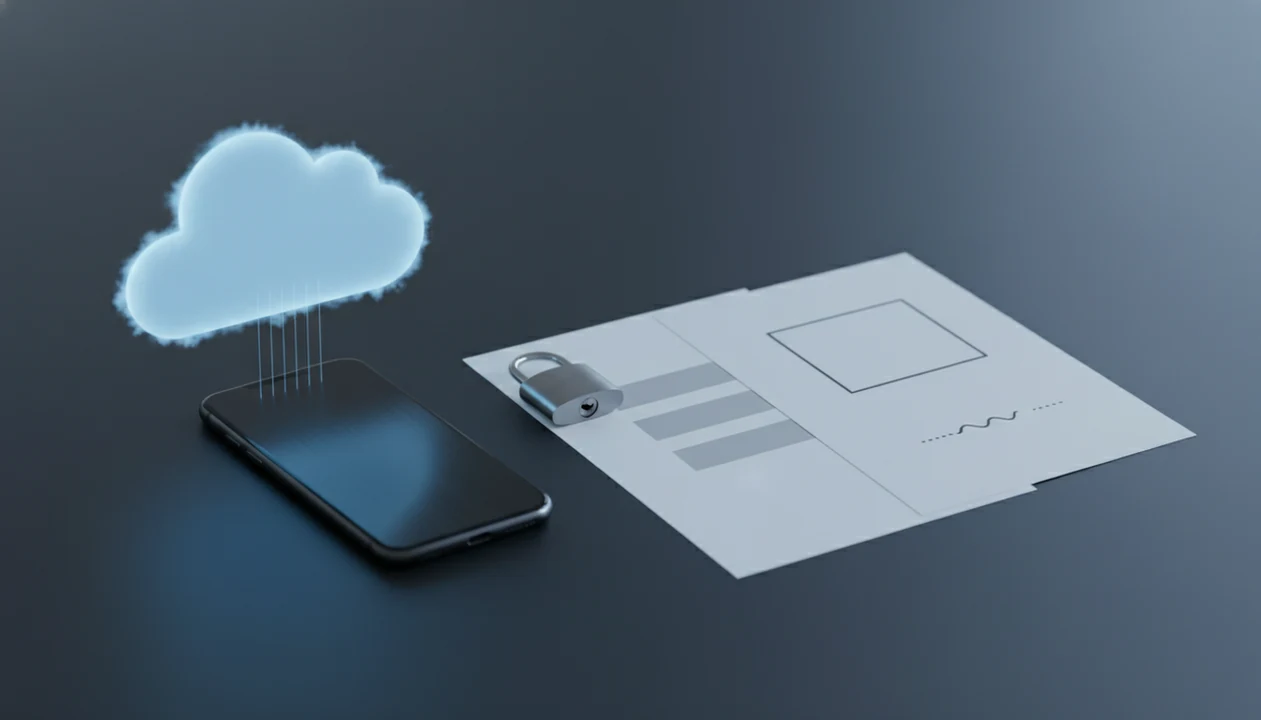
Yes, some PDF to Word apps store files temporarily after conversion, but the exact answer to does PDF to Word app store files depends on the app’s privacy policy, cloud processing model, and deletion controls. Users should look for a clear retention period, server-side deletion rules, encryption details, and a way to delete uploaded PDFs or converted DOCX files.
> This guide explains the file-retention risks to check before using any mobile PDF converter. It is privacy guidance, not a guarantee about a provider’s internal deletion systems.
- A mobile PDF to Word converter may upload your PDF to cloud servers even when the app is installed on your phone.
- File retention can range from immediate deletion to timed deletion after hours or longer, depending on the provider’s policy.
- Before converting sensitive PDFs, check retention periods, deletion controls, encryption, support access rules, and whether files are used for troubleshooting or analytics.
PDF converter file retention for uploaded PDFs
PDF converter file retention means the provider may keep uploaded PDFs, converted DOCX files, metadata, logs, job IDs, or backups after the conversion finishes. It is not controlled by the “PDF to Word” feature alone.
The real question is where the file goes after you tap Convert. A PDF can sit only on your phone, move through a cloud server, appear in a support tool, or remain inside backup systems for a defined period. We have seen files that looked private because they opened inside a mobile app, then the progress screen showed an upload step in tiny text.
That small detail matters.
A good privacy review separates conversion quality from file handling. A converter may preserve layout well, but still retain temporary copies. A weak converter may delete quickly, but fail on OCR or tables. Different problem.
Mobile PDF converter file storage on iPhone and Android
Does a mobile converter store files? The practical answer is: check the current app policy and separate local phone storage from uploaded server copies. Processing may be local, cloud-based, or mixed, and reputable providers should state which model they use.
On iPhone, a file may remain in Files, Recents, or an app folder after conversion. On Android, it may sit in Downloads, Documents, or a cloud-synced folder. That is local storage. Server storage is different, and deleting one does not always delete the other.
A good PDF to Word converter app that converts PDF files to editable DOCX Word documents on iPhone and Android delivers editable text and layout recovery, not invisible certainty about every copy unless its policy says so.
How PDF converter file storage works
A common converter storage workflow is: choose a PDF, upload it, process it on a server, return a DOCX, then store or delete temporary files. The storage decision happens in that middle system, not on the final Word screen.
Many converters use cloud processing because OCR, font matching, table recovery, and layout reconstruction are heavy tasks. A scanned purchase order in an email thread may need image recognition before any editable DOCX text exists. A contract with numbered clauses can also shift by half a line after conversion, which is why server-side layout tools often compare page geometry.
iOS and Android sandboxing limit what other apps can touch. They do not stop a converter from uploading a file after you select it. Temporary storage can include the input PDF, output DOCX, conversion job ID, device metadata, diagnostic logs, and backups.
For mobile users, the offline vs cloud PDF to Word difference is usually the first privacy fork.
Five PDF converter file retention and deletion facts
- There is no universal retention rule across PDF to Word apps; each provider sets its own policy and technical process.
- Many mobile converters use remote servers, so files may be stored temporarily even when the app feels local.
- Some services publish timed deletion windows, such as minutes, hours, or 24 hours, but vague policies may allow longer retention.
- Confidential documents require stronger checks for encryption, support access, third-party processors, and compliance claims.
- Users should delete local copies from the app, Files, Downloads, Recents, trash folders, and cloud storage after conversion.
The quiet cleanup step is easy to miss. After converting a sensitive resume from years ago, we still check whether the old PDF and new DOCX appear in Recents before sending anything back.
For everyday files, a fixed retention window is often easier to judge than broad language such as “as needed for service improvement.”
PDF to Word app storage policy checklist
A storage policy checklist should identify exactly what happens to your PDF, converted DOCX, and related data after conversion. Vague wording such as “we may retain data as needed” is riskier than a fixed deletion window with clear controls.
| Policy item | What to look for | Why it matters |
|---|---|---|
| Retention period | Minutes, hours, 24 hours, or stated longer term | Defines how long copies may exist |
| Deletion method | In-app delete, automatic purge, support request | Shows whether you can act |
| Encryption in transit | HTTPS or similar transport protection | Reduces exposure during upload |
| Encryption at rest | Server-side storage protection | Matters if files wait in queues |
| Support access | Human review rules and audit controls | Limits employee visibility |
| Third-party processors | Named vendors or categories | Shows who else may handle files |
| Backups | Backup retention period | Copies can outlast main files |
| Analytics and training use | Whether documents are excluded | Prevents secondary use surprises |
Pew reported in 2021 that 79% of Americans were concerned about how companies use collected data, per this source. For broader context, our PDF to Word app privacy guide explains policy language that deserves extra scrutiny.
Uploaded PDF files and converted DOCX deletion steps
Deleting a file from your phone may not delete a server-side uploaded copy. To delete uploaded PDF files, use every available deletion path and ask the provider what happens after the request.
- Use in-app delete controls for the original PDF, conversion job, and exported DOCX.
- Remove local files from Files on iPhone or Downloads and Documents on Android.
- Empty Recently Deleted, Trash, or recycle folders tied to the app or cloud account.
- Check iCloud Drive, Google Drive, OneDrive, or other synced folders for copied files.
- Contact support and ask for server-side deletion plus the retention window in writing.
We also suggest opening the converted DOCX in Microsoft Word mobile before cleanup. That catches obvious formatting damage before you delete your only useful copy.
If the file is sensitive, ask whether backups, logs, and support tickets follow the same deletion timeline. A real answer should name a period, not just say “soon.”
PDF to Word app file storage myths
Four myths cause most bad file-storage decisions with PDF converters. The safer assumption is that an uploaded document may exist outside your phone until the provider’s policy proves otherwise.
Myth 1: All PDF to Word apps delete files immediately. Some do, some use timed deletion, and some keep data for support or service operations.
Myth 2: An installed mobile app always converts locally. A phone app can still upload a selected PDF to cloud infrastructure for OCR or layout rebuilding.
Myth 3: Free converters are automatically safer than paid converters. Free tools can be safe, but unclear monetization, analytics, or training language is a warning sign.
Myth 4: Deleting a PDF from the phone deletes every server copy. Local deletion usually removes only the phone-side file unless the app also triggers server deletion.
That last one catches people. The PDF disappears from the screen, but the conversion job may still exist in a queue or backup.
Sensitive document decision rule for PDF to Word conversion
Use a PDF to Word converter only if the document is low-risk, or if the app publishes strong retention, deletion, encryption, and access protections. Do not upload medical, legal, financial, HR, trade-secret, or regulated files to unknown consumer apps.
| Document type | Upload to unknown consumer converter? | Safer path |
|---|---|---|
| Public flyer or worksheet | Usually acceptable | Check local copies afterward |
| Resume or invoice | Use caution | Prefer clear retention and deletion controls |
| Contract under negotiation | Avoid if policy is vague | Use vetted tools and review access rules |
| Medical, HR, or financial file | Usually no | Use approved regulated workflows |
| Trade-secret or client file | No unless authorized | Follow employer or client policy |
Third-party processors and human error matter because conversion often depends on external systems. The Ponemon Institute reported that 59% of organizations had experienced a data breach caused by a third party (source), and Verizon’s 2023 DBIR found that 74% of breaches involved the human element (source).
For contracts, the confidential contract PDF to Word workflow deserves a stricter review than a class handout opened five minutes before class.
When to use an approved workflow instead
Use an approved workflow whenever the PDF belongs to a client, employee, patient, legal matter, financial account, or regulated process. If the document is controlled by an employer or contract, the safer move is to treat conversion as a records and compliance step, not a quick file-format task.
Before converting recurring sensitive files, slow down and make the path repeatable:
- Identify whether the PDF contains client data, HR records, legal terms, payment details, medical information, or regulated content.
- Ask the right owner first, such as compliance, IT, counsel, records management, or the client contact named in the policy.
- Choose tools covered by an employer-approved vendor agreement with retention, access, audit, and deletion terms that are actually contractual.
- Avoid consumer converters when the privacy language is vague, optional, or written as a general promise rather than a binding workflow.
- Record the approved method before the next conversion, including where files are uploaded, who can access them, and how originals and DOCX copies are deleted.
That written path prevents a rushed future upload from becoming the privacy exception everyone forgot to review.
Limitations
You cannot fully verify a provider’s automatic deletion from outside its systems. You can read policies, inspect app behavior, and ask support, but server-side proof is limited.
- Backups may keep copies longer than the main uploaded PDF or DOCX.
- Logs can retain job IDs, filenames, timestamps, IP addresses, device data, or error details.
- Support tickets may include attachments or screenshots that outlive the conversion job.
- Crash reports can expose metadata even when the document body is not included.
- A short retention promise does not prove no employee, contractor, or vendor can access files.
- iOS and Android sandboxing do not prevent upload after you grant file access.
- Consumer converters may not meet GDPR, HIPAA, enterprise, or regulated-document requirements.
- Privacy policies can change after app updates, ownership changes, or business model changes.
For medical records or regulated documents, use specialist-approved systems and review medical PDF to Word safety before uploading.
FAQ
Do PDF converters keep my files?
Some PDF converters keep files temporarily or longer, depending on their privacy policy, technical design, and cloud processing model. There is no universal rule across all converters.
Are PDF files uploaded to servers?
Many mobile PDF converters upload PDFs to remote servers for OCR, layout reconstruction, and DOCX generation. An installed app does not automatically mean local-only processing.
Can I delete uploaded PDF files?
You may be able to delete uploaded PDF files through in-app controls or a support request. Deleting the local PDF from your phone does not always delete server-side copies.
Are converted Word files stored?
Converted Word files may be stored alongside the original PDF during processing or for a stated retention period. Check whether the policy covers both input PDFs and output DOCX files.
Is PDF conversion private on iPhone?
iPhone sandboxing limits local app access, but it does not stop an app from uploading a PDF after you select it. The app’s processing and retention policy remains decisive.
Is PDF conversion private on Android?
Android permissions and storage access affect local privacy, but upload behavior still depends on the converter. Review file access, cloud processing, and deletion rules before using PDF To Word App or any similar tool.
Are free PDF converters safe?
Free PDF converters are not automatically unsafe, but vague retention language, unclear third-party sharing, and heavy analytics are warning signs. A paid app is not automatically safer either.
Should I upload confidential PDFs?
Avoid uploading confidential legal, medical, financial, corporate, or regulated PDFs unless the converter publishes strong protections and your organization allows it. For sensitive work, PDF To Word App should be evaluated against the same policy checklist as any other converter.